It starts with an email. Pick the platforms, add your client’s address and send. It arrives under your agency’s name.
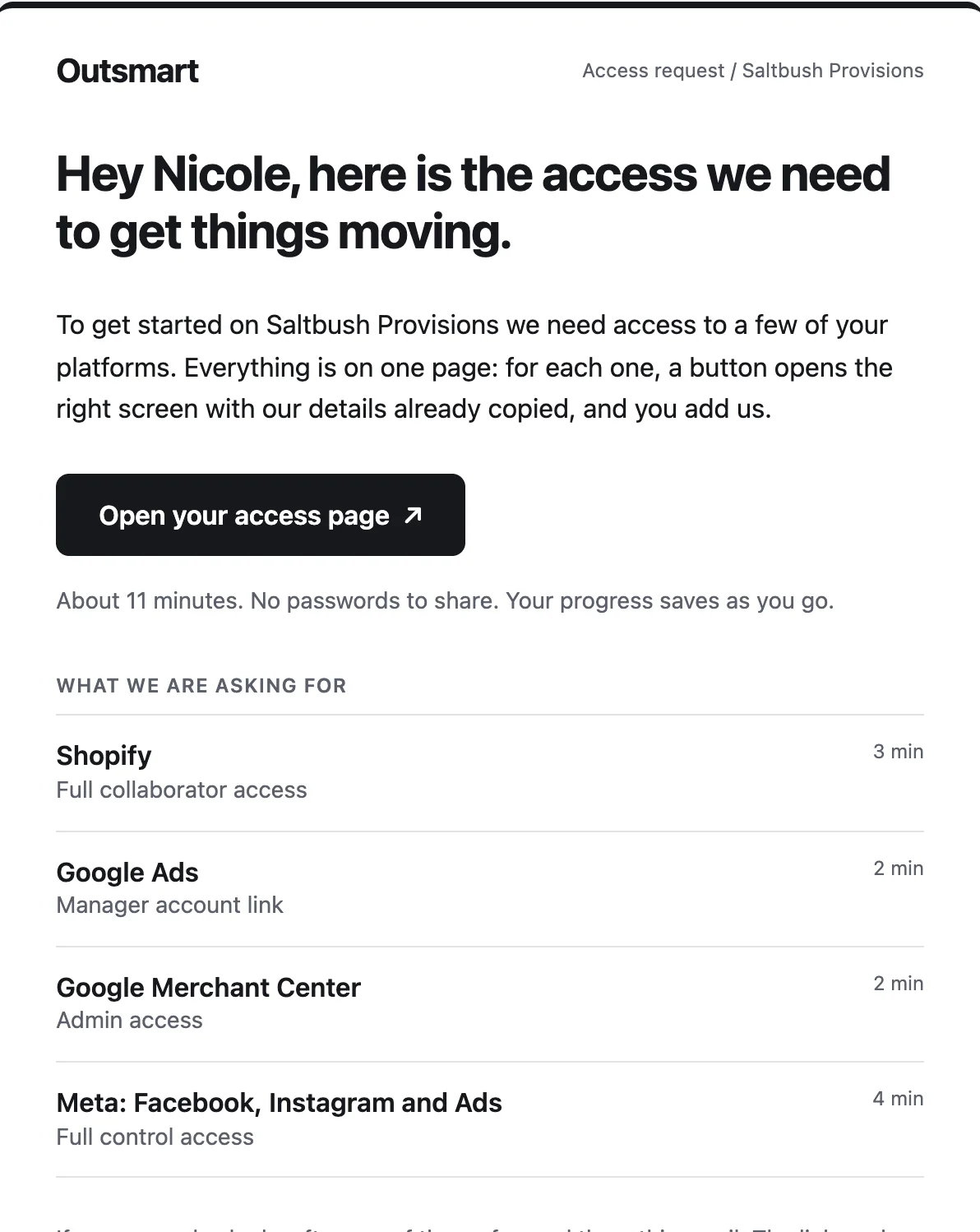
Your client follows guided steps to add your agency on each platform: Google, Meta, Shopify and 14 more. Your team sees what’s connected and what’s still waiting.
Request an inviteSee how it works
$99 USD a month. Unlimited clients.
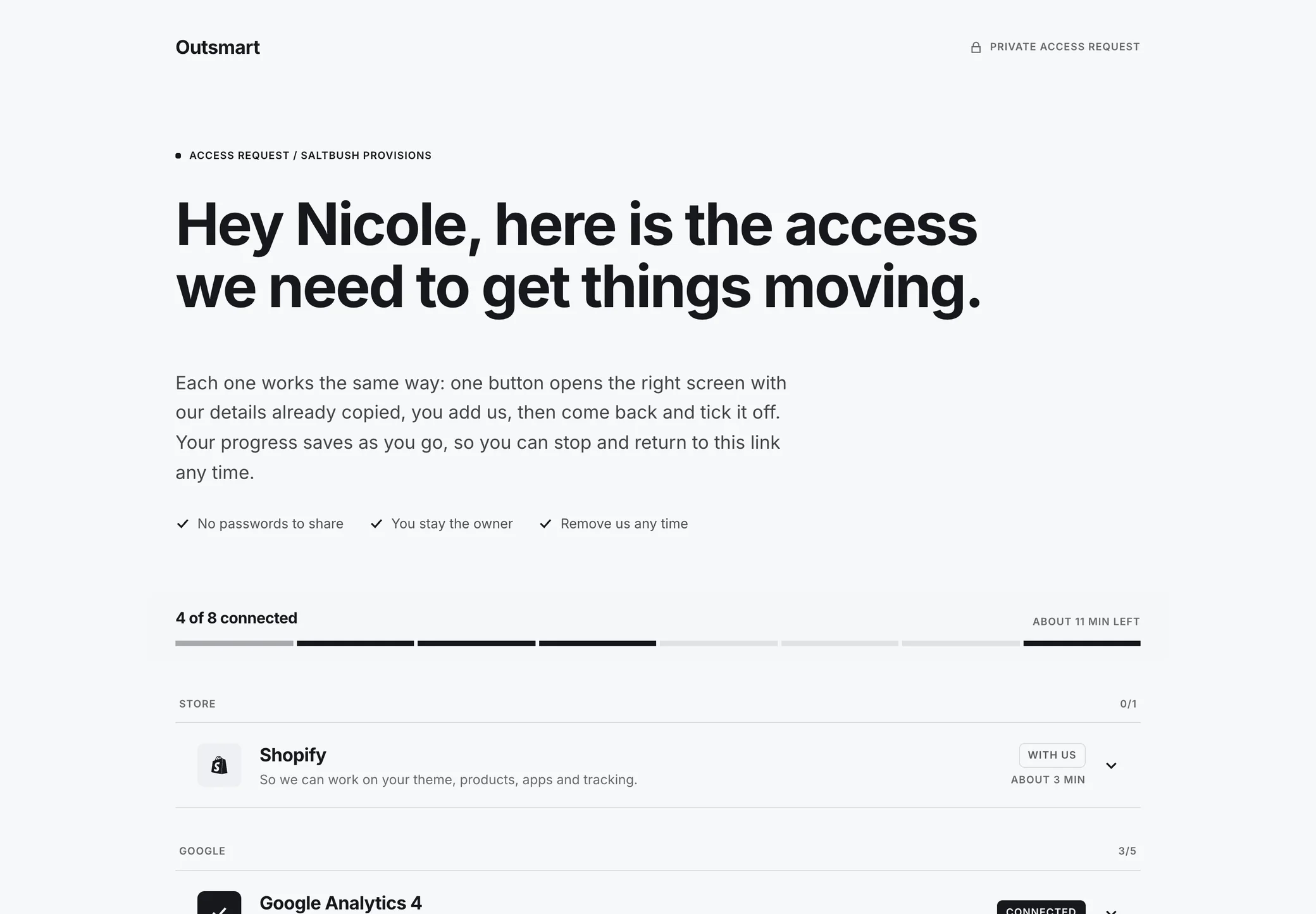
The screens show Outsmart, a real customer. Its client here, Saltbush Provisions, is an example.
A request can ask for any of these 17 platforms
How it works


17
platforms a request can cover
2 to 4 min
a platform for your client, by the page’s own estimate
0
passwords asked for or stored
Unlimited
clients, requests and team members
Try it
The client's pagemy.partneraccess.co/r/saltbush-provisions-s4we3tkmj8aa
Hey Nicole, here is the access we need to get things moving.
0 of 4 connected
About 11 min left
Copy our email and open Google Analytics
Access email[email protected]
On the real page this opens Google Analytics in a new tab, with the email on the clipboard. Here it just moves you on.
In Google Analytics
Come back here and confirm
Access requests for Outsmart are run on PartnerAccess. Privacy. Report a problem.
Team's viewOpenedSee itNothing has come in yet.
The agency's view
Saltbush Provisions
Activity
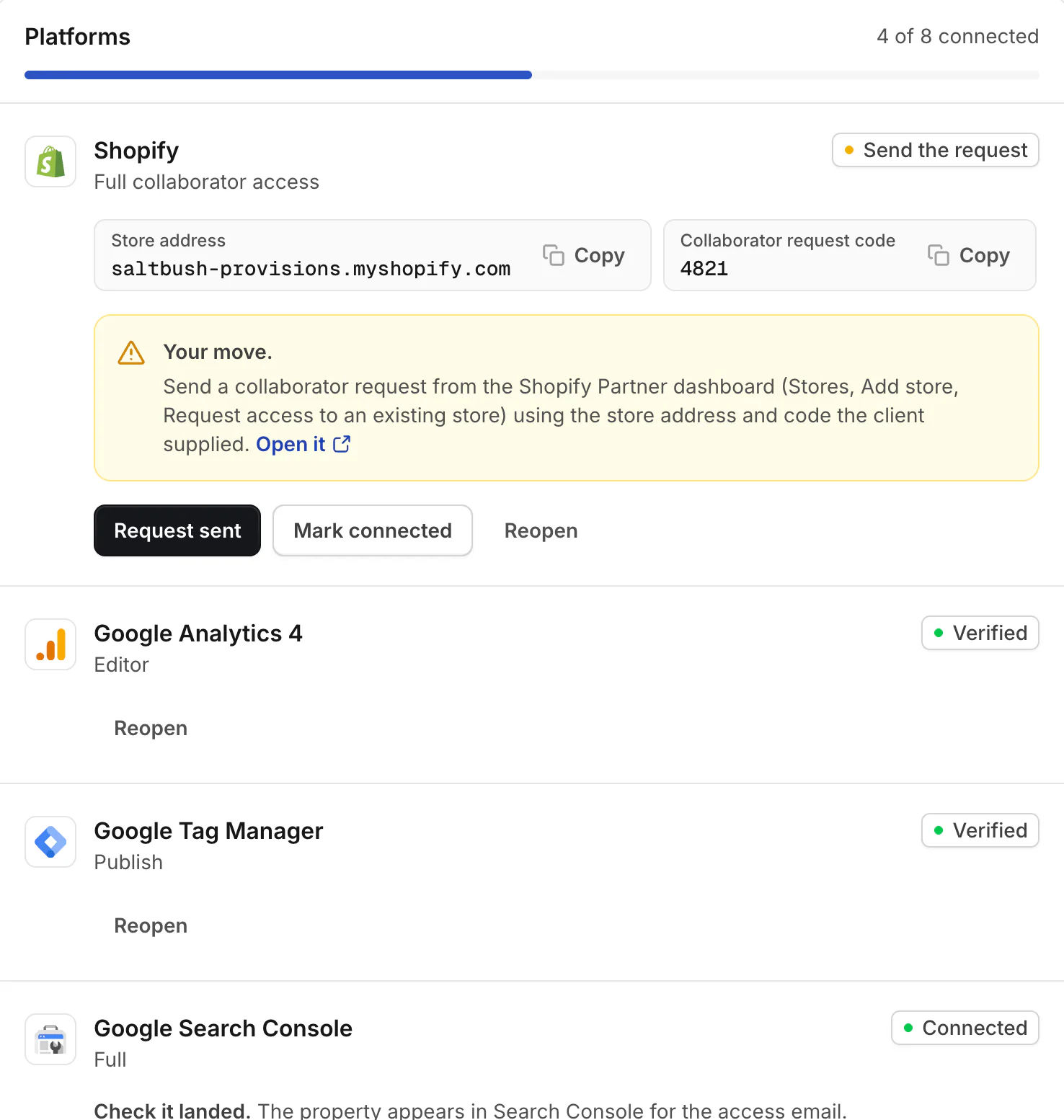
A working copy of the product’s two sides, with four of the 17 platforms. Outsmart is a real customer. Saltbush Provisions, Nicole and everything in this request are an example.
Also in it


Your client sees your agency’s name, logo and colour. Ours stays in the small print.

Each client’s platforms, and which ones are still waiting.

What was confirmed and what was checked, with the time. It stays with the request.
Your client signs in with Google once and the access is checked for you. It arrives when Google approves the app.
my.partneraccess.coaccess.your-agency.comAn example address
Requests on your agency’s own address, with email from your own domain. For approved agencies.
[To be supplied: A sentence or two from someone at Outsmart, with their name and role.]
[To be supplied: A true fact about what changed for Outsmart, with its figure.]
[To be supplied: A second true fact.]
[To be supplied: A third, if there is one.]
Pricing
Agencies join by invitation for now. When sign-up opens there’ll be a 14-day trial, and it won’t ask for a card.
Not yet. Today your client follows guided steps on each platform and confirms when they’re done. One-click Google, with an automatic check, arrives when Google approves the app.
Connected means your client says it’s done. Verified means someone on your team has checked the access works and marked it.
Each platform says who can do it. If that isn’t them, the page lets them send it on to whoever is. If they get stuck, they can ask your team for help from the same row, and you’re emailed.
Shopify, Maropost Commerce (Neto), BigCommerce, WordPress / WooCommerce, Google Analytics 4, Google Tag Manager, Google Search Console, Google Ads, Google Merchant Center, Google Business Profile, YouTube, Meta: Facebook, Instagram and Ads, Klaviyo, Mailchimp, TikTok Ads, Microsoft Advertising and Pinterest Ads.
Agencies are being brought on a few at a time while billing and public sign-up are finished. Ask for an invite and a person reads your request and replies.
PartnerAccess is made by Sidecar Studio.
By invitation while billing and public sign-up are finished.